

What if you could type a question and instantly find the answer across all your files? Not just documents, but PDFs, photographs, diagrams, notes, and spreadsheets, all at once.
I typed “What is the largest planet in our solar system?” into a search box I had built thirty minutes earlier. It returned a fact sheet from a PDF, a photograph of Jupiter from a completely separate image file, and a confidence score for each result. One question searched everything simultaneously.
Open the guide →
What follows is what happened when I tried it myself.
What Is This?
Google recently released a tool called Gemini Embedding 2. In plain terms, it lets a computer understand what different types of files mean, and makes them all searchable together. Text documents, photographs, videos, audio recordings. They all go into the same searchable space.
Before this existed, building something like this required a team of programmers. Different tools for each file type, weeks of setup, deep technical knowledge. Now it takes one afternoon and zero coding.
Now it takes one afternoon and zero coding.
The technical name for this approach is RAG, which stands for Retrieval-Augmented Generation. All that means is: instead of the AI guessing from its general knowledge, it first searches through YOUR files, finds the relevant parts, and bases its answer on what it actually found. Think of it as giving the AI a cheat sheet of your own content before it answers.
Hands-On
I expected the setup to take a weekend. It took about half an hour.
I kept waiting for the moment it would break and I would need to start debugging. That moment never came. The closest thing to a problem was creating free accounts for Google AI Studio and Pinecone, which took longer than the actual building.
I used Claude Code for the entire build. Claude Code is an AI tool that writes code for you based on plain English instructions. The process: I copied four ready-made prompts (included in the guide), pasted them one at a time, and Claude Code built everything. About 30 minutes from start to a working search app. You need a free Google account, a free Pinecone account (the database that stores your searchable files), and a Claude Code subscription. Nothing else.
After the included NASA examples worked, I wanted to see how it handled real files. I tried a PDF manual, some photos, and a few random documents I had lying around. I asked a specific question about the manual and it pulled the right section immediately.
That was the moment it stopped being a demo and started being genuinely useful.
The system does better with files you have described well. Photos without any description get matched loosely at best. But for documents and images with good descriptions, the results were surprisingly accurate.
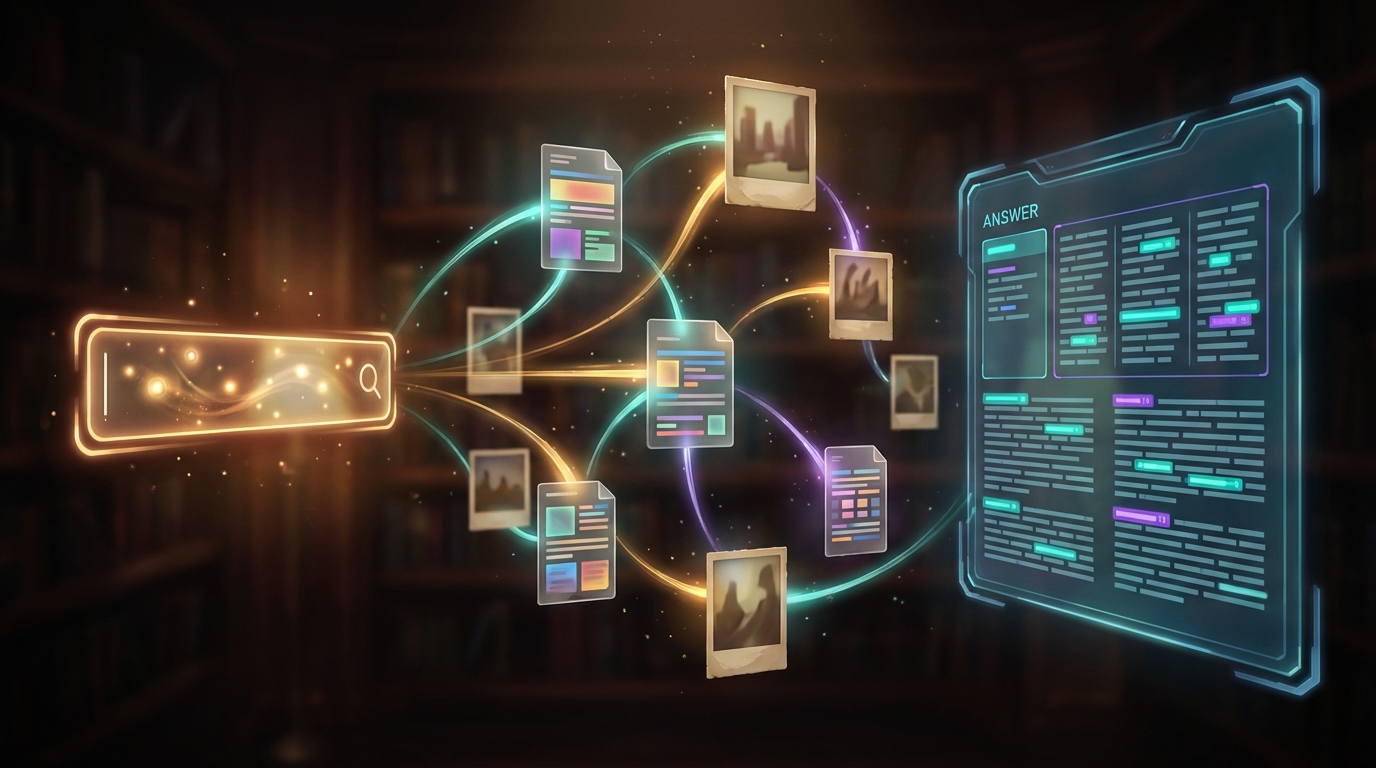
Your question finds matching sources across all your files. Claude reads them and writes an answer with citations. Click to enlarge.
git.fromaitochitta.com/ktg/multimodal-rag-guide
No coding required. Follow the README step by step.
The Honest Picture: What This Cannot Do Yet
This technology solves one specific problem well: finding information across different file types with a plain English question. But it has real limitations you should know about before investing time.
Long documents get split into smaller pieces so the system can work with them. How those pieces are divided matters. If a table gets split in half, neither half makes sense to the system. Claude Code handles the splitting for you, but the results depend on how your documents are structured. Well-organized files with clear headings work better than messy ones.
The system cannot look at a photograph and understand what it shows. It finds images through text descriptions you provide. If you drop in photos without any description, the search results will be vague or miss them entirely. The guide includes examples of good descriptions and templates to help.
The system finds content that seems relevant and then the AI writes an answer based on what it found. Sometimes the AI misreads a source, skips the most important part, or states something the source does not actually say. For anything important, check the sources it cites. They are shown with every answer.
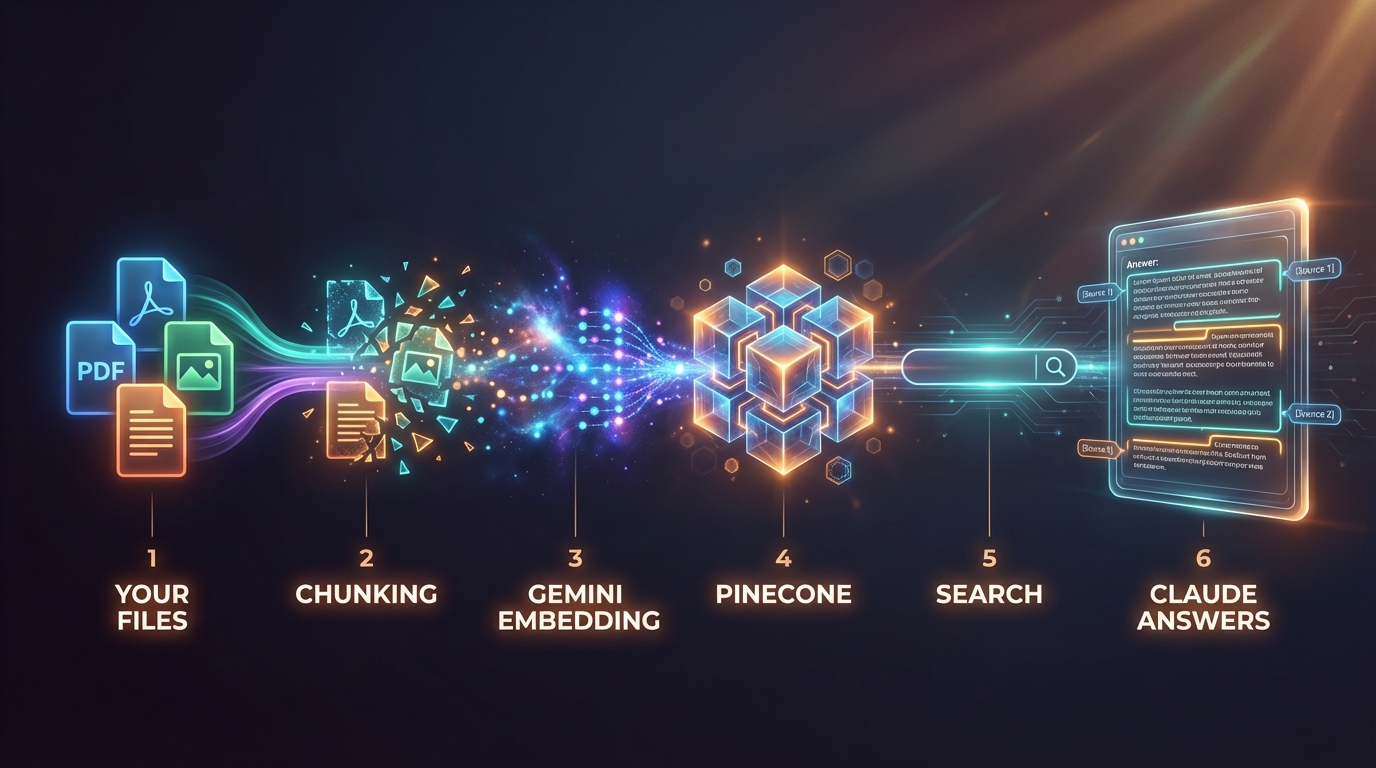
The full pipeline: files are chunked, embedded by Gemini, stored in Pinecone, then Claude answers your questions using the retrieved content. Click to enlarge.
What You Can Build With This
Personal archive
Drop all your PDFs, screenshots, notes, and bookmarks into one folder. Ask questions instead of remembering which file something was in.
Equipment manuals
Ask “how do I replace the filter?” and get the answer plus the diagram. Every manual you own, searchable in seconds.
Photo library
Search by what photos show, not by filename. Describe what you are looking for and find the right image across thousands.
Team knowledge base
New team members ask questions and get answers pulled from all existing documentation. No more “ask Sarah, she knows.”
The free tiers of both Gemini and Pinecone cover all of this. You only pay for your Claude Code subscription, which you may already have. Full cost breakdown in the guide.
Verdict
If you have files scattered across formats and you wish you could just ask questions about all of them at once, this is worth 30 minutes of your time. The guide walks you through every step.
If all your information is already in well-organized text documents with good search, you do not need this yet.
